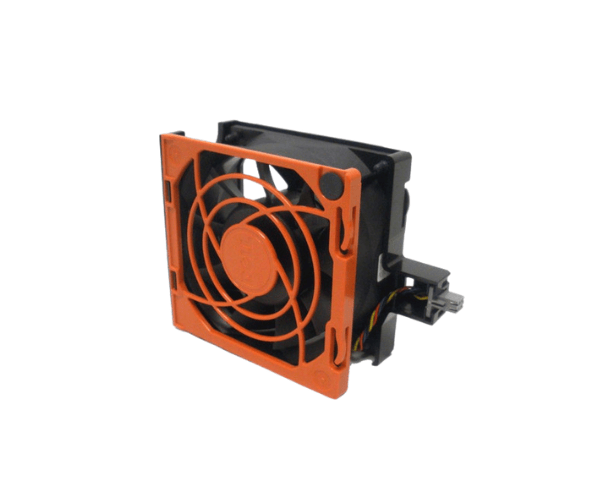
Overview of Dell 2R4DV Fan 12v DC Assembly for PowerEdge T620
The
Dell 2R4DV Fan 12v DC Assembly for PowerEdge T620 is an essential component for the Dell PowerEdge T620 server. Effective cooling plays a vital role in maintaining system performance and stability, especially in high-demand environments. This fan assembly helps keep your server components at optimal temperatures, ensuring longevity and efficient operation. Whether you are upgrading an existing fan or replacing a faulty one, the Dell 2R4DV Fan Assembly is designed to meet your cooling needs.
Why Choose Dell 2R4DV Fan 12v DC Assembly for PowerEdge T620?
Choosing the
Dell 2R4DV Fan Assembly means investing in your server's performance. This fan ensures reliable and efficient cooling, which is critical for maintaining the performance of your PowerEdge T620. By reducing the risk of overheating, the Dell 2R4DV fan assembly extends the lifespan of your server components. With its durable construction and easy installation, this product is an ideal solution for any data center or IT environment.
User Experience
Many users report a significant improvement in their server's cooling performance after installing the Dell 2R4DV Fan Assembly. Customers appreciate its quiet operation and robust design, which contribute to a more peaceful working environment. Users have also noted the ease of installation, allowing for a quick upgrade or replacement without technical difficulties. The Dell 2R4DV has garnered positive feedback for its reliability and performance, making it a popular choice among IT professionals.
Detailed Breakdown of Features
- High Performance: Operates at a speed of 7200 RPM to provide optimal airflow.
- Quiet Operation: Maintains noise levels below 30 dB, ensuring a quiet environment.
- Robust Construction: Made from premium materials to ensure extended durability.
- User-Friendly Installation: Features a straightforward plug-and-play design for rapid setup.
- Compatibility: Specifically designed for Dell PowerEdge T620 servers.
- Efficient Cooling: Prevents overheating to enhance system performance.
- Extended Operational Life: Designed to last for up to 50,000 hours of use.
- 4-Pin Connector: Ensures a secure connection to the motherboard.
- Compact Size: Fits easily within the server without obstructing other components.
- Cost-Effective: Provides excellent cooling performance at an affordable price.
Installation Steps
- Power Down the Server: Shut down your PowerEdge T620 and unplug it from the power source.
- Open the Server Case: Carefully remove the side panel to access the internal components.
- Locate the Fan Slot: Find the designated slot for the Dell 2R4DV Fan Assembly.
- Remove the Old Fan (if applicable): If you are replacing an old fan, carefully detach it from the slot.
- Insert the Dell 2R4DV Fan: Align the fan assembly with the slot and push it into place until it clicks securely.
- Reconnect the Power Connector: Plug the fan's 4-pin connector into the appropriate port on the motherboard.
- Secure the Installation: Ensure the fan is locked in place and does not move.
- Close the Server Case: Replace the side panel securely.
- Power On the Server: Reconnect the power supply and turn on the server to confirm the fan is working properly.
Where It Can Be Used?
The
Dell 2R4DV Fan Assembly is specifically designed for use in the Dell PowerEdge T620 server. Its reliable cooling performance makes it suitable for various applications, including:
- Data centers
- Virtualization environments
- Cloud computing servers
- Enterprise IT infrastructures
- High-performance computing systems