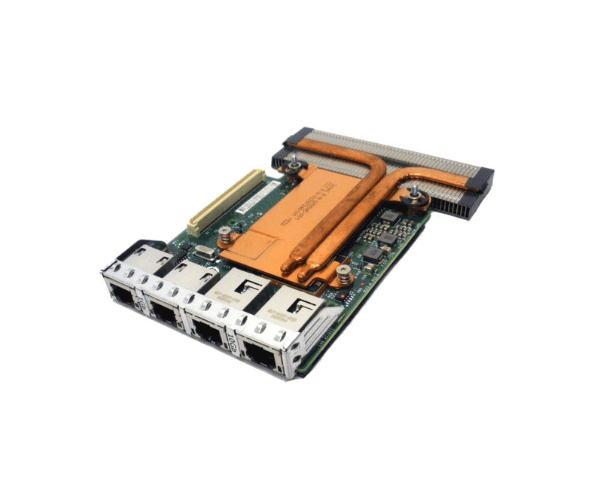
Introduction of DELL 99GTM Network Daughter Card
The Dell 99GTM Network Daughter Card is a high-performance network expansion solution designed to enhance connectivity and network management in Dell servers. This network daughter card provides additional network ports, boosting the overall networking capabilities of your server setup. With its reliable performance and seamless integration, the Dell 99GTM is an ideal choice for improving network infrastructure in enterprise environments.
Why Choose the Dell 99GTM Network Daughter Card?
The Dell 99GTM Network Card brings several key benefits for optimizing your network setup. Firstly, this card offers additional network ports, which are essential for expanding network capabilities and enhancing network traffic management. Furthermore, the PCIe interface simplifies the installation process and ensures compatibility with various Dell server models, thus providing versatility for network upgrades. By choosing the Dell 99GTM, you not only enhance network performance but also ensure reliability across your IT infrastructure. Consequently, this card is a valuable investment for both small and large-scale IT environments, helping you achieve efficient and seamless network operations.
User Experience
Users of the Dell 99GTM Network Card frequently highlight its easy installation and robust performance. The card integrates seamlessly with compatible Dell servers, reducing setup time and minimizing compatibility issues. The additional network ports enhance connectivity and network management, making it highly valuable in environments where network reliability and performance are critical. Overall, the Dell 99GTM is praised for its dependability and significant contribution to improving network efficiency.
Key Features
- Enhanced Connectivity: Adds additional network ports to improve network management and traffic distribution.
- PCIe Interface: Ensures straightforward installation and compatibility with various Dell servers.
- Reliable Performance: Provides stable and high-performance network connectivity.
- Versatile Use: Fits into different server configurations to meet diverse networking needs.
- Low Power Consumption: Operates efficiently without significant power usage.
Installation Steps
- Power Down the Server: Start by shutting down the server and disconnecting it from the power source.
- Open the Server Case: Access the internal components by opening the server case.
- Insert the Card: Place the Dell 99GTM Network Card into an available PCIe slot.
- Secure the Card: Fasten the card with screws or clips to ensure a secure fit.
- Close the Server Case: Reassemble the server case and reconnect the power source.
- Install Drivers: Power on the server and install any necessary drivers or software for the card.
- Configure Network Settings: Adjust network settings to match your network requirements.
Where It Can Be Used?
The
Dell 99GTM Network
Adapter is ideal for use in various high-performance computing environments. It is particularly suited for data centers, enterprise IT setups, and other applications requiring enhanced network connectivity and management. Its ability to add extra network ports makes it valuable for improving network infrastructure in both small and large-scale deployments, including those involving storage area networks (SANs) and virtualized environments.