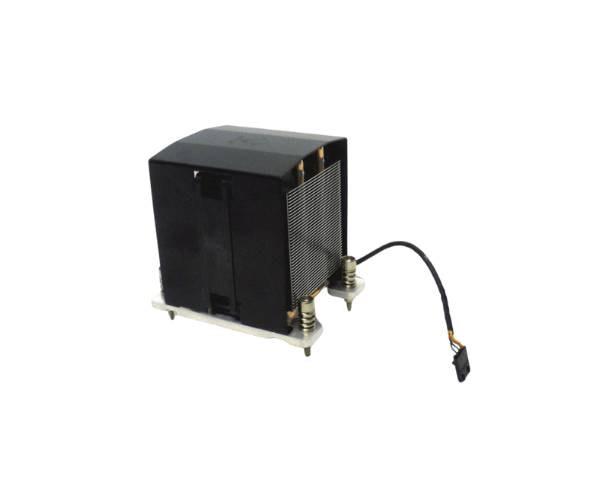
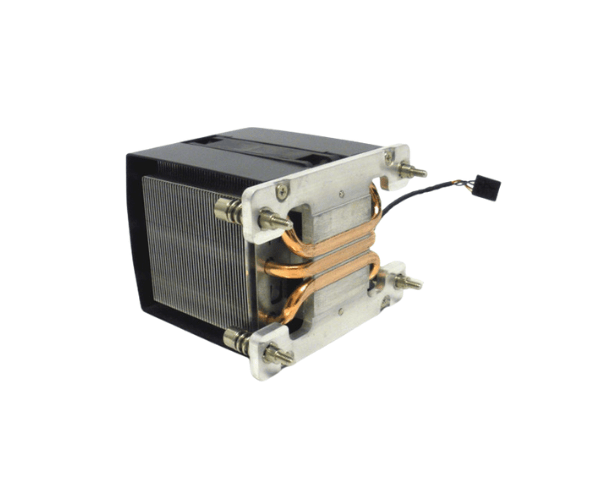
Introduction of Dell YH2R3 Heatsink Fan Assembly
Cooling is a critical factor in maintaining the optimal performance of high-end computing systems. The
Dell YH2R3 Heatsink Fan Assembly is designed to effectively dissipate heat, ensuring that your system runs smoothly, even under heavy workloads. Built for reliability and superior airflow, this heatsink fan assembly is an essential component for maintaining the longevity and performance of your Dell servers.
Why Choose the Dell YH2R3 Heatsink Fan Assembly?
The
Dell Heatsink Fan Assembly stands out for its superior cooling performance, designed specifically for Dell PowerEdge servers. If you're looking to enhance your system's stability, this heatsink fan ensures that your components stay cool even in demanding environments. The efficient heat dissipation helps prevent overheating, extending the lifespan of your hardware. Choosing this product means you're investing in quality and performance, two essential factors in a server environment.
User Experience
Customers who have used the
Dell Heatsink Fan Assembly consistently praise its performance. It's known for running quietly, even at higher RPMs, providing strong airflow without adding unnecessary noise to your workspace. Users report improved system stability, particularly when running resource-intensive applications, making it a trusted choice for businesses and IT professionals.
Detailed Breakdown of Features
- Brand: Dell ensures reliability and high performance in all their products.
- Efficient Cooling: The high RPM fan quickly removes heat from the system.
- Quiet Operation: The fan runs quietly, even at maximum load.
- Durable Material: It uses high-quality aluminum for better heat transfer and durability.
- Compact Size: The assembly fits perfectly in Dell PowerEdge servers without extra space.
- High Airflow: It pushes large volumes of air for better cooling efficiency.
- Easy Installation: The assembly installs easily with all necessary hardware included.
- Reduced Overheating: It keeps the system at optimal temperature, reducing heat-related issues.
- Lightweight Design: The lightweight design prevents stress on other components.
- Long-Lasting: The assembly is built for extended use in demanding server environments.
- Reliable Performance: It consistently provides strong cooling during heavy workloads.
Installation Steps
- Turn off your Dell PowerEdge server and unplug all cables.
- Open the server chassis to access the CPU socket.
- Carefully remove the old heatsink from the CPU.
- Clean the CPU surface with thermal compound cleaner.
- Apply a thin layer of thermal paste to the surface of the CPU.
- Align the Dell YH2R3 Heatsink Fan Assembly over the CPU.
- Secure the heatsink by tightening the screws diagonally.
- Connect the fan cable to the motherboard.
- Close the chassis and plug in all cables.
- Power on the server to verify successful installation.
Where It Can Be Used?
The
Dell Heatsink Fan Assembly actively cools Dell PowerEdge servers, ensuring optimal performance in any environment. Whether you're managing a data center, running an enterprise setup, or maintaining a high-performance server, this heatsink fan efficiently handles heavy loads while keeping your system cool. Its design ensures server stability, making it the ideal choice for demanding applications where reliable cooling is essential.